APEX-BUILD
APEX-BUILD

Developer-control AI software creation

Multi-provider AI app building with specialist agents, BYOK controls, live spend visibility, and browser-verified previews.

APEX-BUILD is the developer-control AI app builder: multi-provider routing, BYOK, live per-agent cost tracking, hard budget caps, Git ownership, IDE-level control, and browser-verified full-stack builds in one workflow. Specialist agents can be assigned to the provider and model best suited to the task, with health checks, failover, and cost attribution visible during the build.

Why Apex wins

Lower credit burn. Higher software ceiling.

Apex isn't a prettier prompt box. It's a multi-agent production software factory with economics, architecture, and verification engineered into the workflow.

Multi-provider model routing

Apex makes model routing explicit and developer-controlled: each specialist agent can be assigned to the provider/model best suited to the task, with health checks, failover, and cost attribution visible during the build.

BYOK and managed credits as build controls

Most competitors default to managed credentials or platform-managed model access. Apex makes BYOK and managed credits first-class controls, with real-time spend visibility and per-project routing decisions.

Browser-verified previews

For supported generated preview flows, Apex loads the preview in a real headless Chromium with chromedp before reporting that preview as working. We check for runtime errors, network failures, and missing assets. Competitors provide previews and deployment workflows; Apex makes explicit runtime verification a visible build gate.

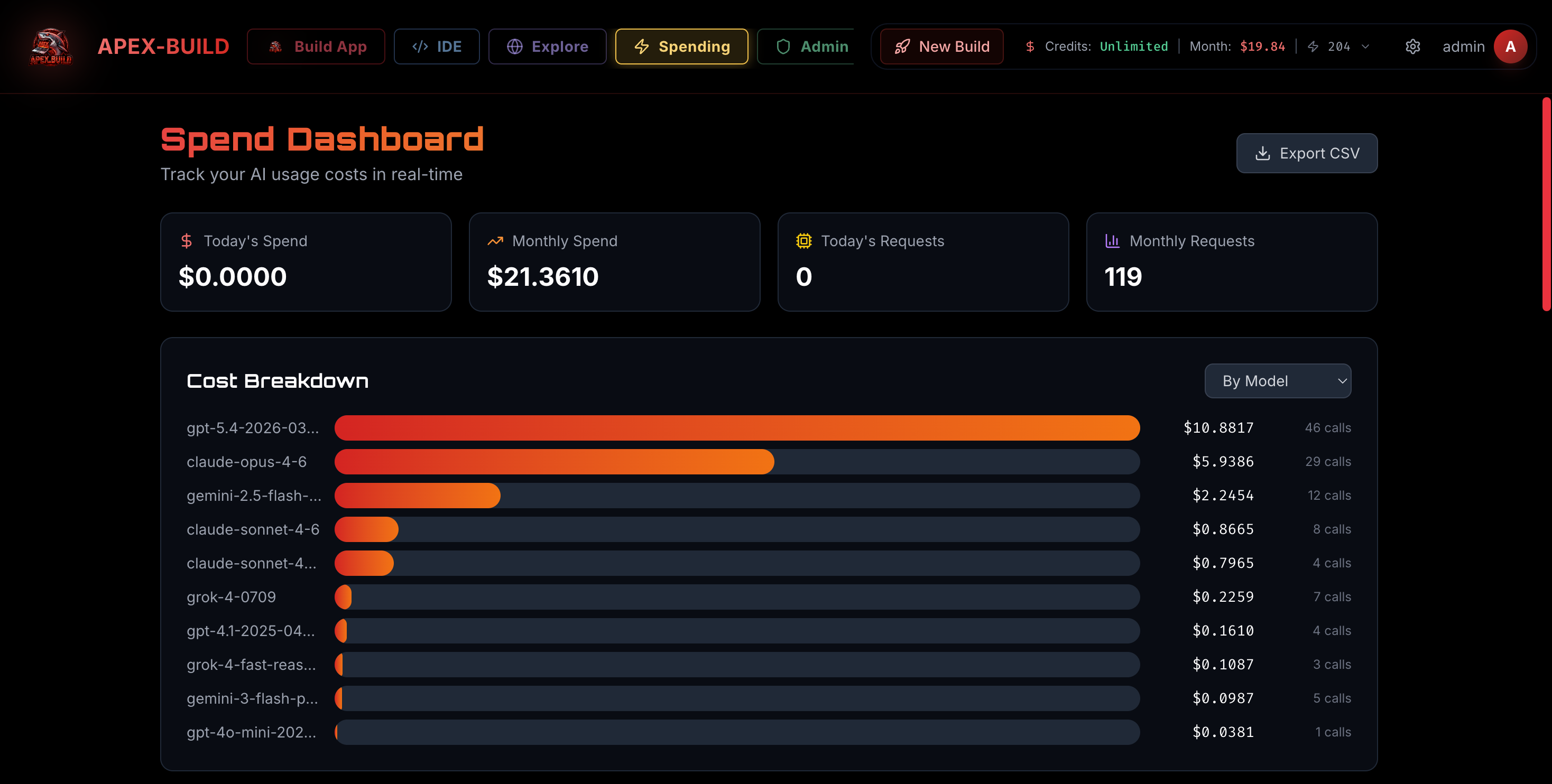
Live spend visibility per agent and per model

Builds stream tracked token usage and cost broken down by agent role and model when providers return usage data. See which agent is spending managed credits, which provider handled it, and whether hard budget caps stopped a run before it exceeded your threshold.

True multi-language stacks

Build Python data services, Go microservices, Rust systems code, Java backends, and Node/TypeScript APIs alongside React, Vue, or Svelte frontends. Lovable and Bolt are strongest around web-app workflows and JavaScript/TypeScript-oriented stacks; Apex targets broader backend generation across Python, Go, Rust, Java, Node, and TypeScript.

Deterministic build pipeline

Inputs locked, model versions pinned, dependency graphs reproducible, every artifact hashed and traceable. Apex emphasizes staged planning, review, repair, and verification so builds can be inspected and repeated instead of treated as a one-shot prompt box.

Native MCP tool integration

Attach Model Context Protocol tools — Stripe, Postgres, Slack, Jira, custom HTTP — and the agents will use them as first-class capabilities, not webhook hacks. Wire secrets once and reuse them across builds.

Enterprise from day one

SAML SSO, SCIM provisioning, RBAC roles, and audit logs are part of the Team and Enterprise architecture. Enterprise deployments can include single-tenant isolation, private networking, and on-prem implementation support where contracted.

The honest comparison

Apex vs Replit, Lovable, Cursor, Bolt, Devin, and Manus.

This matrix focuses on how Apex positions developer control. Competitor capabilities change quickly, so rows are phrased conservatively from public documentation and product surfaces.

Capability Apex-Build Replit Lovable Cursor Bolt Devin
Explicit per-agent model routing controlsYesNot publicly positioned as coreLimited / evolvingAgent/model controlsNot verifiedAgent controls
BYOK and managed credits as build controlsYesPartial / context-dependentManaged accessPartial / context-dependentManaged accessManaged access
Named specialist-agent build rolesYesAgent modesNot publicly broken out Apex-styleCloud agentsCoding agentsParallel managed agents
Explicit headless-browser/runtime verification gateYesPreview/deploy workflowPreview/deploy workflowN/APreview plus automated iterationNot verified
Python / Go / Rust / Java backend targetingYesYesWeb-app orientedLocal/dev environmentWeb-app orientedYes
Live spend tracking per agentYesUsage visibilityUsage visibilityUsage visibilityUsage visibilityNot verified
Hard budget caps with auto-stopYesNot verifiedNot verifiedNot verifiedNot verifiedNot verified
SAML / SSO / SCIM / RBACTeam / EnterpriseEnterpriseNot verifiedBusiness / EnterpriseEnterpriseEnterprise
MCP / tool connectorsYesYesYesYesNot verifiedYes
GitHub import / exportYesYesLimitedYesLimitedYes
Pricing and limitsPublished plans plus live spend controlsSee current public pricingSee current public pricingSee current public pricingSee current public pricingSee current public pricing

Sources: public documentation and pricing pages from replit.com, lovable.dev, cursor.com, bolt.new, devin.ai, and related product docs. Last reviewed 2026-04.

Platform cockpit

Control the build from import to deploy.

Apex gives serious builders the levers they expect: context intake, model routing, MCP tools, secrets, GitHub handoff, database readiness, review gates, deploy controls, and live spend visibility in one connected workflow.

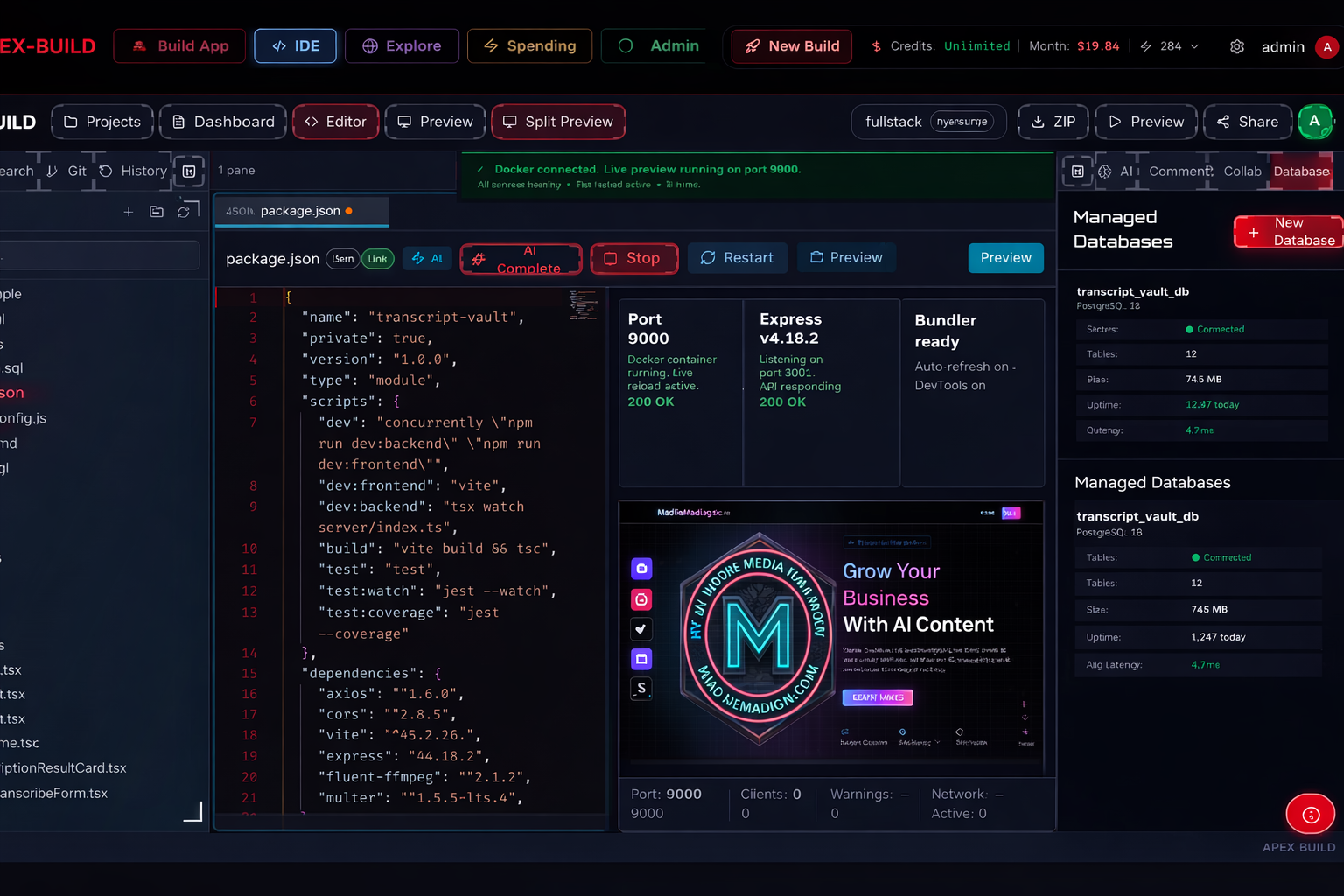
Apex-Build multi-agent build console with live agent status, spend tracking, and a preview panel
Multi-agent build console with live spend tracking
Apex-Build cloud IDE with file tree, Monaco editor, and integrated terminal
Cloud IDE with Monaco editor and integrated terminal
Apex-Build per-agent and per-model spend dashboard with token usage breakdown
Per-agent spend dashboard with token usage

Nine specialists. One governed build.

Specialist agents that act like a real engineering team.

Apex exposes a named specialist-agent architecture instead of hiding the build behind a single opaque generation stream. Each role has its own prompt pack, context window, and model assignment, and the conductor reconciles their outputs into a structured build plan.

Everything Apex ships out of the box

A complete production stack — not a demo wrapper.

AI & agents

  • 9 specialist agents with role-aware prompt packs
  • Multi-provider routing across OpenAI, Anthropic, Google, xAI, Ollama
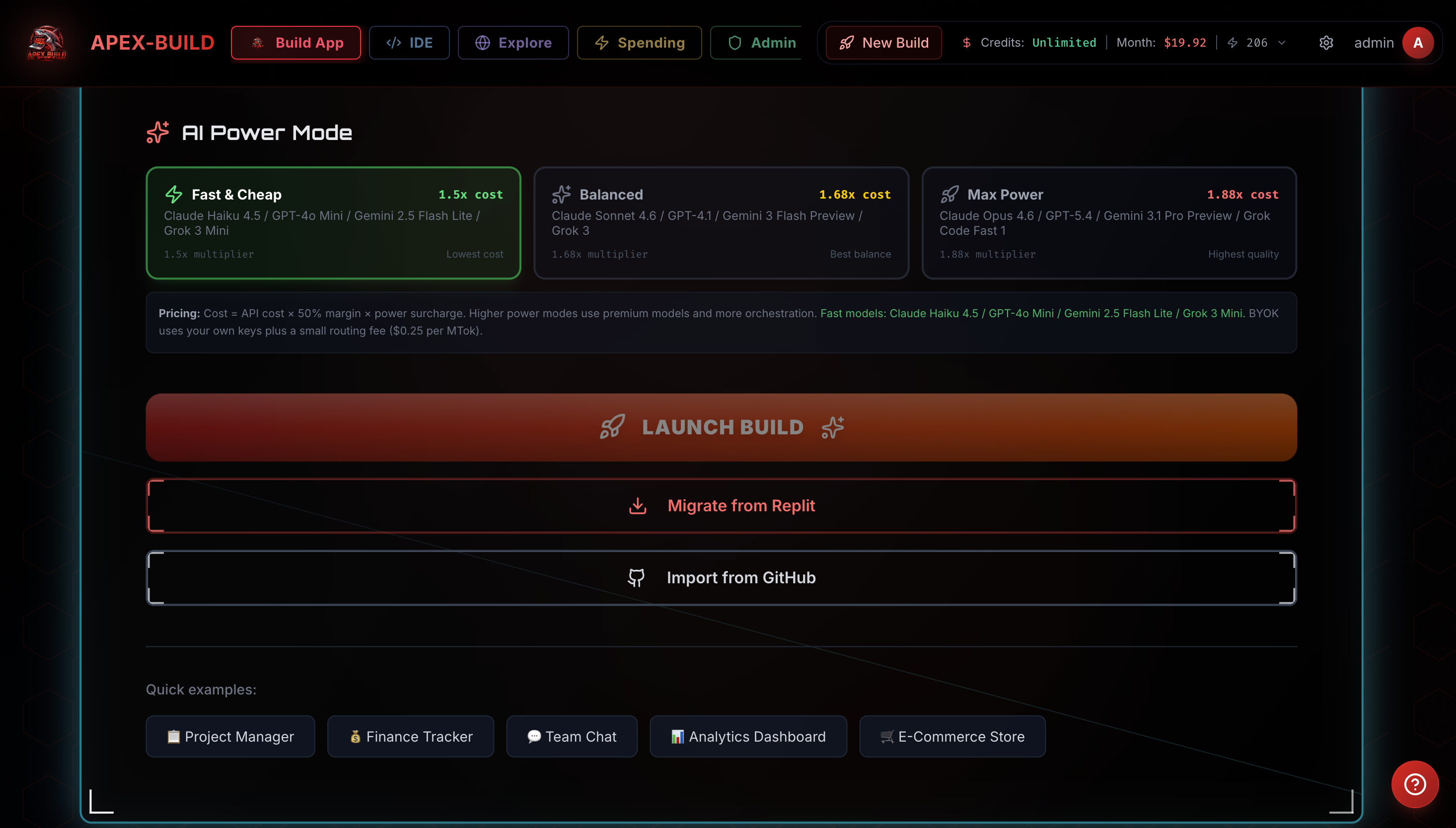
  • Power modes: Fast, Balanced, Max — auto-route by tier
  • Kimi K2.6 conductor for orchestration
  • Deterministic chunked editor for large refactors
  • Error-analyzer with automated repair loop (up to 5 attempts)
  • Provider failover with circuit breaker

Build pipeline

  • Browser-verified previews via chromedp
  • Frontend approval gate before ship
  • shadcn UI scaffold injected upfront
  • Snapshot & restore for follow-up sessions
  • Conflict detection on proposed edits
  • Pinned exact dependency versions
  • Build cost estimate before kickoff

Cloud IDE

  • Monaco editor with full TypeScript LSP
  • Integrated xterm terminal with real shell
  • File tree, multi-tab, split panes
  • Live preview pane with hot-reload
  • Diff & review panel for every agent edit
  • AI telemetry overlay with prompt-pack inspector
  • Mobile-aware layout (works on iPad)

Languages & runtimes

  • Python 3 with pip and ML libraries
  • Go 1.21 modules
  • Rust with cargo
  • Java with Maven/Gradle
  • Node 20 with pnpm and bun
  • Postgres, Redis, MySQL, SQLite
  • Docker sandboxes via E2B with Docker fallback

Integrations & export

  • GitHub import & export with one click
  • Stripe, Postgres, Resend, Cloudflare R2 wired in
  • Native MCP tool support
  • OAuth providers: Google, GitHub, Microsoft
  • Webhooks with signature verification
  • Custom domains with automated TLS
  • One-click deploy to Render, Vercel, or Cloudflare

Security & compliance

  • CSRF protection on every protected route
  • JWT auth with refresh-token rotation
  • OWASP-aware code review heuristics
  • Encrypted-at-rest BYOK key vault
  • Audit logs for every admin action
  • Rate limits and quota enforcement (fails closed)
  • Token blacklist with rotation

Cost & billing

  • Live spend per agent, per model, per build
  • Hard budget caps with auto-abort
  • Daily and monthly usage analytics
  • Credit top-up packs ($25–$250)
  • Transparent managed-credit conversion and routing fees
  • Power-mode surcharges (Fast 1.0x / Balanced 1.12x / Max 1.25x)
  • BYOK billing offset

Team & enterprise

  • SAML SSO with IdP-initiated flow
  • SCIM 2.0 user provisioning
  • RBAC: owner, admin, builder, reviewer, viewer
  • Shared workspaces and shared secrets
  • Audit log streaming
  • Single-tenant isolation
  • VPC peering and on-prem options

Transparent usage. Honest limits.

Pricing built for builders, not gatekeepers.

Builder

$24/mo

Includes $12 of build credits

  • Full-stack builds
  • GitHub import/export
  • Live preview and IDE
  • Multi-provider routing
  • 5 GB storage, 200 code executions/day

Team

$149/mo

Includes $110 of build credits

  • Everything in Pro
  • Shared workspaces & secrets
  • SAML SSO, SCIM, RBAC
  • Audit logs and admin controls
  • 100 GB storage, 5,000 code executions/day, team workspace
  • Dedicated support

Top-up credit packs from $25 to $250. Annual plans save 20%. Enterprise deployments can include single-tenant isolation, private networking, on-prem implementation support, and procurement support where contracted.

Frequently asked questions

How is Apex different from Replit, Lovable, Cursor, or Bolt?
Apex focuses on developer-controlled routing and verification: each specialist agent can be mapped to the provider/model best suited to the task, BYOK and managed credits are visible build controls, spend is attributed during the run, and previews go through an explicit browser/runtime verification gate before success is reported. Competitors offer valuable previews, deployment workflows, and in many cases multi-model or tool integrations; they generally do not publicly position an Apex-style named specialist-agent routing and cost-control workflow as the core product guarantee.
Why does Pro cost $59?
Apex Builder is the entry paid plan for full-stack generation. Apex Pro adds BYOK, hard budget controls, advanced verification, and model-routing options so heavy users can decide when to use Apex-managed credits and when to route eligible work through their own provider subscriptions or open-model infrastructure.
Which AI providers does Apex support?
Apex supports configured routes across OpenAI, Anthropic, Google, xAI, Ollama Cloud, and self-hosted/open-model infrastructure. Available model names depend on provider account access and platform configuration. The router exposes health monitoring, failover, and per-task model selection instead of hard-coding one vendor.
Can I bring my own API keys?
Yes. BYOK is supported for major providers on Pro and Team plans. Keys are encrypted at rest, never logged, and can be mixed with managed credits per project. BYOK calls bypass Apex-managed model markup; any Apex routing or platform fee is shown separately.
What languages and stacks does Apex support?
Frontends in React, Vue, Svelte, vanilla TypeScript, and HTML/CSS. Backends in Node, Python, Go, Rust, and Java. Databases include Postgres, MySQL, SQLite, and Redis. Sandboxes run in E2B with Docker fallback.
Is the preview really verified, or just transpiled?
For supported generated preview flows, Apex spins up a headless Chromium via chromedp, loads the preview, captures runtime errors, network failures, and console exceptions, and only reports that preview as successful after the page renders. If verification fails, Apex surfaces the failure and attempts targeted repair.
Is there a free trial?
New free accounts receive one-time managed trial credits for static frontend experiments. The free tier supports 3 projects, 1 GB storage, and static frontend/UI work; backend, full-stack generation, BYOK, and publishing require a paid plan.
Can I run Apex on-prem or in a private cloud?
Yes. Enterprise deployment options can include single-tenant deployment, private networking, and on-prem implementation support with your own AI provider keys where contracted. Security documentation is available on request.